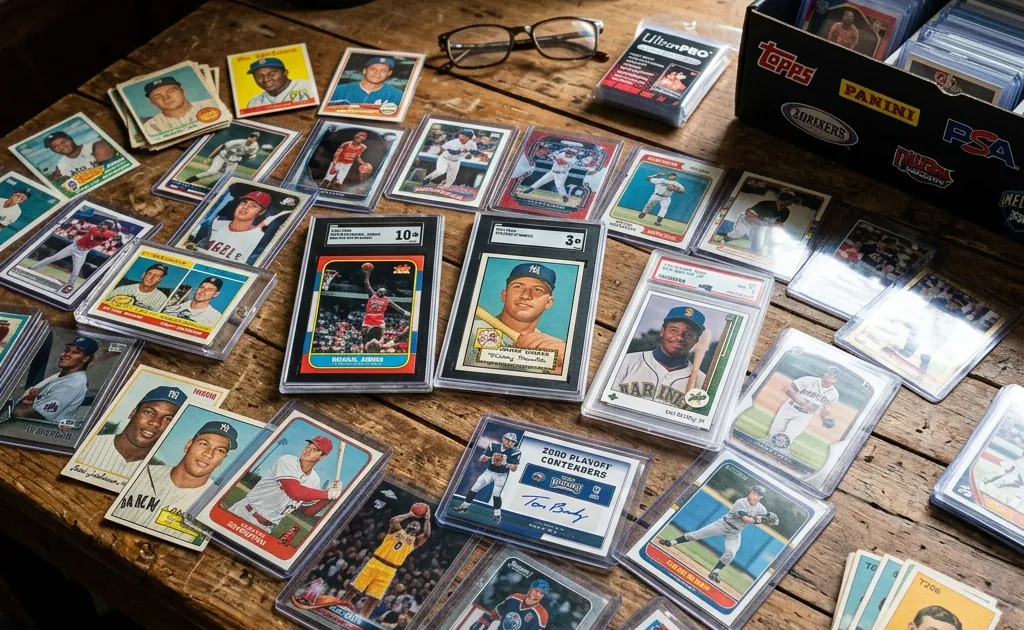
To identify a football card, record the player, release year, manufacturer, product, card number, and every variation mark that appears on the front or back. Then compare those details with the manufacturer’s checklist. A rookie label, foil color, serial stamp, autograph, or fabric window is a clue; it is not by itself proof of a particular value or authenticity.
This guide is for the step after a scan suggests a candidate. Use the football card scanner for a starting point, photograph both sides, and verify the result against the physical card. Panini’s checklist guide explains that a checklist records players, teams, numbering, and rarity, while PSA’s collector terminology notes that a player may have more than one card treated as a rookie card. Those sources are useful because football products use many names for similar-looking variations.
Make an evidence packet before searching
Put the card on a plain surface and take a complete front and back image. Keep the original images, including the edges and corners. A crop can help you read a tiny number, but it should never replace the uncropped image in your records.
| Field | What to record | Why it matters |
|---|---|---|
| Player | Full printed name and team | Names can repeat and a team logo is not a set identifier |
| Year | Copyright line or release information | A season shown in statistics may differ from release year |
| Manufacturer | Panini, Topps, Upper Deck, or another maker | Checklists are manufacturer and product specific |
| Product | Prizm, Donruss, Select, Mosaic, Score, or exact product wording | One brand can contain many releases |
| Card number | All letters, prefixes, and suffixes | A serial stamp is not automatically a checklist number |
| Variation | Color, pattern, finish, image, or insert name | Similar colors can represent different parallels |
| Serial mark | The complete stamp, such as 12/99 | It describes a numbered issue, not a price |
| Grade or holder | Company, numeric grade, and certification if present | A raw and graded card are different comparisons |
Do not fill an unknown field with a guess. Write “unreadable” or “unresolved” and preserve the question for the next research step. That habit is more useful than a confident but incorrect search result.
For a release-specific check, use the 2026 Panini Donruss Football product checklist. Its product selector separates the base set from sections such as Base Black, Base Blue Cubic, Base Blue Explosion, and autograph programs. Treat those names as examples for that release only; do not transfer them to another Donruss year or to Prizm, Select, or Mosaic.
Rookie card: what the label does and does not tell you
“RC” commonly abbreviates rookie card. PSA’s lingo resource explains that a player can have one or dozens of cards regarded as rookie cards, depending on the product and collector convention. That means an RC symbol is useful evidence, but the absence of an RC symbol does not settle the question for every release.
Start with the exact product and year. A prospect card, an in-season release, an Update product, a team set, and a later reprint may all be discussed as a player’s first cards in different contexts. Do not label a card a player’s definitive rookie solely because a seller used the word in a title. Check the release checklist and record whether the checklist itself calls the card a rookie or uses a product-specific designation.
The following worksheet keeps the claim narrow:
| Question | Record | Status |
|---|---|---|
| Does the card show an RC mark? | Exact letters and location | Confirmed / not visible |
| Does the checklist identify the player and card number? | Product, year, and row | Confirmed / candidate |
| Is the card a base card, insert, autograph, or memorabilia issue? | Section name | Confirmed / unresolved |
| Is it a later reprint or anniversary design? | Product documentation | Confirmed / unresolved |
| What wording will you use? | “rookie card,” “rookie-year issue,” or “candidate” | Evidence-led wording |
When evidence is mixed, use “candidate rookie-year card” in your notes until you can resolve the product. That is not evasive; it tells a future buyer exactly what remains to verify.
Use the checklist before trusting a color
Football parallels often change the border, foil, background, pattern, or finish while retaining the same player photograph. A phone camera can shift colors under warm light, and a reflective surface can make a base card look like a parallel. Compare the card with a checklist entry or manufacturer image, not a memory of a similar card.
Panini’s official checklist resources allow collectors to filter by sport, year, brand, program, and card set. The checklist guide also explains that numbering and rarity are part of the information a checklist is meant to capture. Use the exact product selector, then inspect the base and parallel sections separately.
Record the variation like this:
- Copy the product name and card number.
- Describe the visual feature without naming it: “silver wave border” or “red cracked pattern.”
- Search the exact product checklist for that description or section.
- Compare the player, number, color, and pattern together.
- If the checklist does not resolve it, leave the parallel unresolved rather than selecting the nearest-sounding name.
Do not infer a print run from a color alone. A serial stamp is stronger evidence of numbering, but it still must be read correctly and matched to the release. A marking such as 12/99 means the individual is numbered 12 of a stated 99; it does not establish that every visually similar card has that limit.
Separate card number, serial number, and certification number
Football cards can show multiple numbers. The checklist number identifies the card within a product. A serial number identifies an individual numbered issue. A grading-company certification number identifies a record in that company’s database. These numbers should be recorded in different fields.
For example, a note that says “#215, 12/99, PSA 10 cert…” is more useful than “card 12.” The first part may be the checklist number, the second is a serial stamp, and the third belongs to the holder. Never search only the final digits of a serial stamp and assume the first result is your card.
Autographs and memorabilia: read the statement literally
An autograph space or fabric window changes the card category, but it does not prove that a signature is genuine or that a patch came from a game. Read the wording printed on the card and in the product checklist. Phrases may distinguish player-worn, event-worn, game-used, or material that is not from a particular game. The distinctions can matter to collectors, and a photograph or patch color cannot replace the printed statement.
Panini’s official football resources include hologram lookup guidance for Panini Authentic memorabilia. That tool can help with the specific hologram system it supports, but it is not a universal authentication service for every card, autograph, or memorabilia piece. Keep an authentication question separate from an identification question.
Use this decision table:
| Visible feature | Safe conclusion | Do not conclude |
|---|---|---|
| Signature sticker or on-card signature | Card contains an autograph element | The signature is genuine without an appropriate authentication check |
| Fabric window | Card contains a memorabilia element | The patch is game-used or from a named match |
| Wording “player-worn” or “event-worn” | Use that exact wording in your notes | Upgrade it to “game-used” |
| Hologram or certificate reference | Record the identifier and issuing system | Treat a public image as universal proof |
| Serial stamp | Individual is numbered within the stated issue | Assume a price or rarity premium without comparable sales |
If text is covered by a holder or glare, change the light and photograph again. Do not remove a valuable card from protection merely to force a clearer image.
A worked, no-price example
Suppose a card shows a quarterback, a silver border, “RC,” a back number that looks like 215, and a stamp reading 12/99. An undisciplined search might call it a “silver rookie patch /99” immediately. An evidence-led note would say:
Player and RC mark visible. Product and year pending. Back number appears 215 but needs a sharp image. Serial stamp reads 12/99, pending confirmation. No fabric window visible in the current image. Parallel unresolved.
That note creates a short, useful next step: photograph the back, identify the product, and compare the relevant checklist entry. It avoids turning a visual impression into a specific product name.
Football identification worksheet
Copy this table into a collection record:
| Evidence | Your observation | Source or image | Confidence |
|---|---|---|---|
| Front player/team | Front photo | High / medium / low | |
| Back player/team | Back photo | High / medium / low | |
| Product and year | Manufacturer reference | High / medium / low | |
| Checklist number | Checklist row | High / medium / low | |
| RC mark or rookie designation | Card / checklist | High / medium / low | |
| Parallel name | Checklist and physical pattern | High / medium / low | |
| Serial stamp | Close-up photo | High / medium / low | |
| Autograph or memorabilia wording | Card text | High / medium / low | |
| Grade and certification | Holder and issuer | High / medium / low | |
| Remaining question | Next action | Open |
The worksheet is intentionally conservative. A scanner suggestion can populate a candidate row, but the final record should cite the image and checklist that support it. If you cannot distinguish two possible parallels, retain both candidates and explain what detail would separate them.
Move from identification to value research
Once the card is identified, open the sports card valuation guide and compare like with like. A football rookie base card should not be compared with a numbered autograph, and a raw card should not be presented as equivalent to a graded copy. The value checker versus appraisal guide and baseball identification workflow show the same separation between identification, evidence, and valuation.
For better images, use the scanner photography walkthrough. For the commercial scan workflow, use the football card scanner page. These links serve different decisions: capture, identification, and value research should remain separate.
When to stop and ask for help
Stop at the identification stage when the product is unclear, the card may be altered, the autograph needs authentication, or the memorabilia wording cannot be read. A professional appraisal or authentication service may be appropriate for a consequential transaction; a scanner result is not a substitute for either. Keep the original photos, the checklist URL, and the exact uncertainty in your records.
The editorial team reviewed this workflow on October 28, 2026. Manufacturer checklist layouts and product names change, so recheck the source when a release is new. This article describes a repeatable identification process and does not promise a particular scan result, grade, authenticity decision, or market value.
Identify and Research Your Sports Cards
Download the Sports Card Scanner & Value app to identify, catalog, and track baseball, basketball, and football cards. Confirm the exact card and condition before relying on an estimate.