
Scan Baseball Cards & Research Their Value
Use your phone camera to identify a vintage or modern baseball card, confirm its year, set, number, and variation, then compare like-for-like raw or graded market sales.


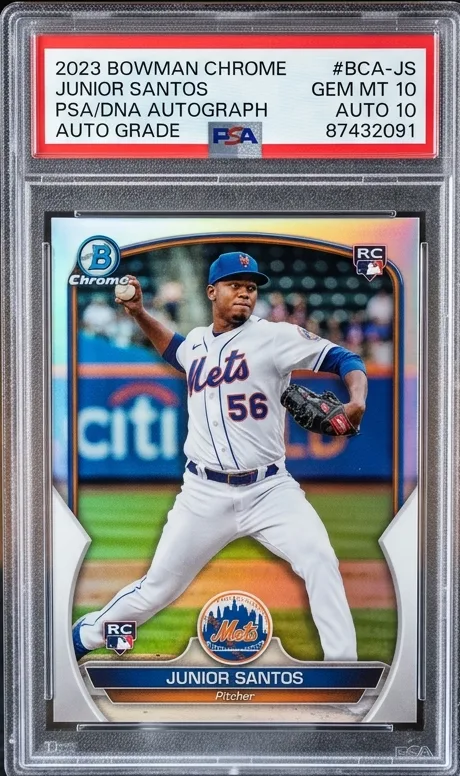
Built for Baseball Collectors & Investors
Everything you need to scan, value, and organize your baseball card portfolio in one place.
Card Identification Suggestions
Suggests a release year, set, card number, and variation to check against the card's printed details.
Real Sold Comps Data
Helps you review market comparisons while keeping raw cards, graded cards, and different parallels separate.
Portfolio Value Tracker
Organize your baseball card collection into custom named binders and watch your total collection value track automatically.
Free baseball card value lookup
Check the exact card before comparing prices
A baseball card value can change substantially with the year, manufacturer, set, card number, parallel, serial number, autograph, condition, and grade. Start with the scanner, then verify those details on the front and back of the card before comparing sales.
- Identify the card. Confirm the player, year, brand, set, and card number.
- Match the variation. Separate base cards from refractors, numbered parallels, autographs, and errors.
- Match condition. Compare raw cards with raw cards and the same grading company and grade with each other.
- Review several completed sales. Ignore unusually high asking prices and note the sale date.
Follow the complete free baseball card value lookup process, use our sports card valuation guide, learn how to photograph a card for scanning, or read our valuation methodology.
Baseball card scanner troubleshooting
Choose the next check when a scan does not match
A repeated scan is useful only if it adds clearer evidence. First decide whether the problem is the photograph, the product identity, or the proposed variation. Our baseball card identification guide separates the year, product, checklist number, and parallel into fields you can verify.
- Glare hides a Chrome finish or printed number
- Move the light source and turn off flash, then capture a full-card view plus a readable detail. A changed reflection can help reveal text; it does not by itself prove a particular parallel. Keep an unedited original for comparison.
- A sleeve or slab reflects the phone
- Try another camera and light angle while keeping the card protected. Do not remove a card from a holder if doing so risks damage. The photo and framing walkthrough covers the capture steps.
- The player matches but the year, series, or number does not
- Read the complete number on the back, including letters. Check the exact product in the official Topps checklist directory for a Topps release, or the relevant manufacturer's reference. A similar player image is not enough.
- The suggested base card looks right but the variation is uncertain
- Record the visible finish, image, numbering, and special features separately. Keep the variation unresolved until release-specific evidence distinguishes it. Do not use a rare-parallel sale to fill the gap.
- A clear image still produces no convincing candidate
- Switch to a manual search using the confirmed product wording and number. Leave uncertain fields blank rather than borrowing them from a search result. If seeking manufacturer help, prepare front-and-back images and the details already known; Topps' support guidance describes that information packet.
Stop condition: do not price or save a suggested variation as confirmed while decisive fields conflict. Preserve both candidates and the missing evidence. Once identity is usable, continue with the free baseball value lookup or vintage baseball value triage guide, keeping raw cards and professional grades separate.
Ready to Find Out What Your Baseball Cards Are Worth?
Download Sports Card Scanner & Value free on iOS & Android, then verify the suggested card identity before researching a value.